Drag and drop to create inspections, equipment checklists, permits — any form your crew fills out. No code required. They complete it any device; you get automatic documentation.
Mix and match to design forms around your workflows — from a quick pass/fail to a photo of the hazard, signed and time-stamped.
Drag fields onto the canvas, set the rules, and publish. Start from one of our templates or your existing paper form, then make it yours.
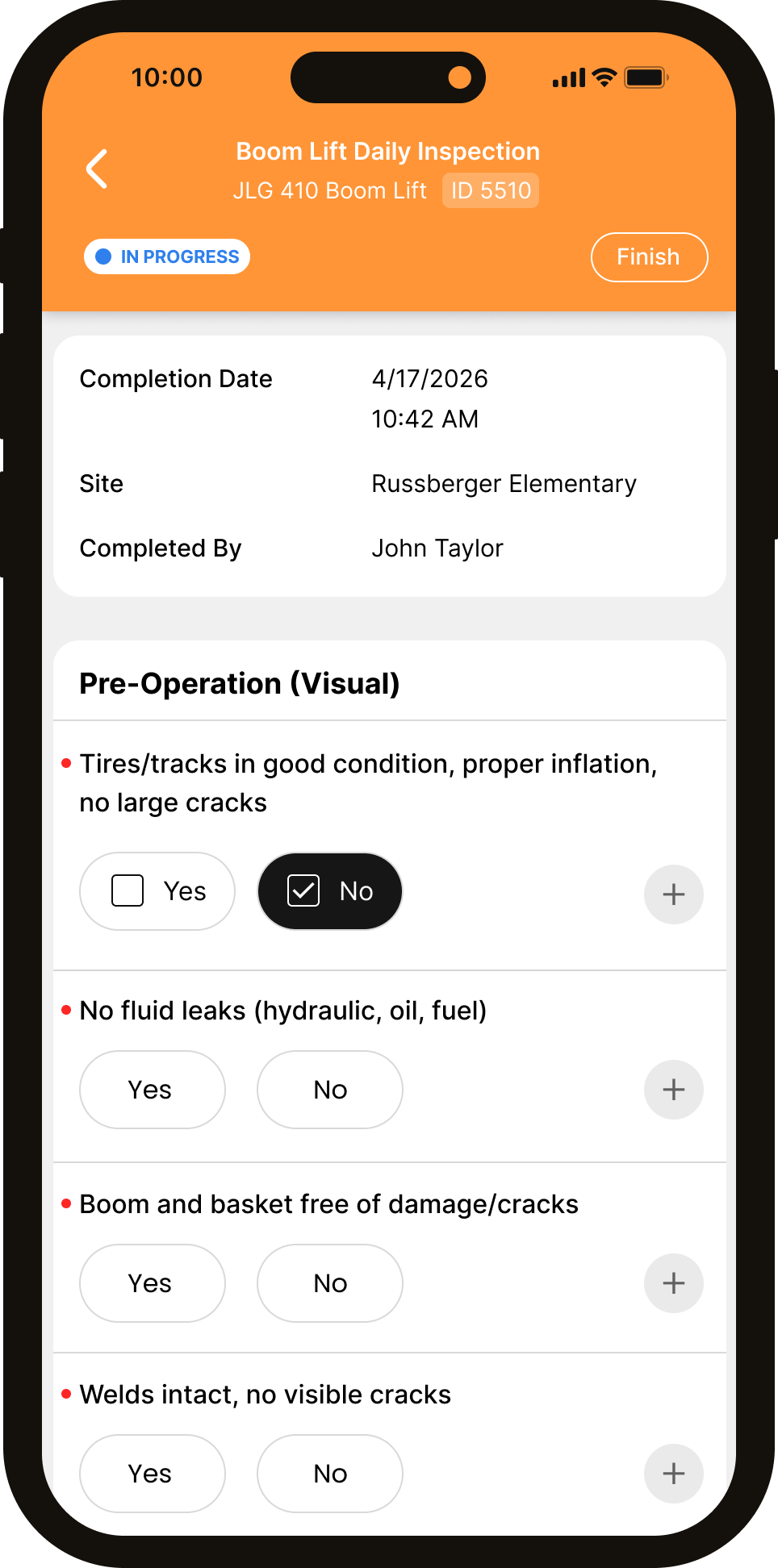
Forms cache on the device, so a dead zone never stops an inspection. Photos, location, and signatures are captured right inside the form and sync the moment signal returns.
Complete forms anywhere; data syncs automatically on reconnect.
Snap a hazard, mark it up, and attach it to the right item.
Every submission proves where and when it was done.
Sign-off on the device, locked to the record.
If your team fills it out today, you can build it in WorkerSafe — and stop chasing paper.
Daily walks, housekeeping, fall protection checks.
Pre-use inspections for trucks, lifts, and tools.
Hazard assessments signed before work starts.
Hot work, confined space, and lockout permits.
Capture what happened with photos on the spot.
Track open items through to sign-off.
Digital attendance with signatures.
Recurring facility and equipment checks.
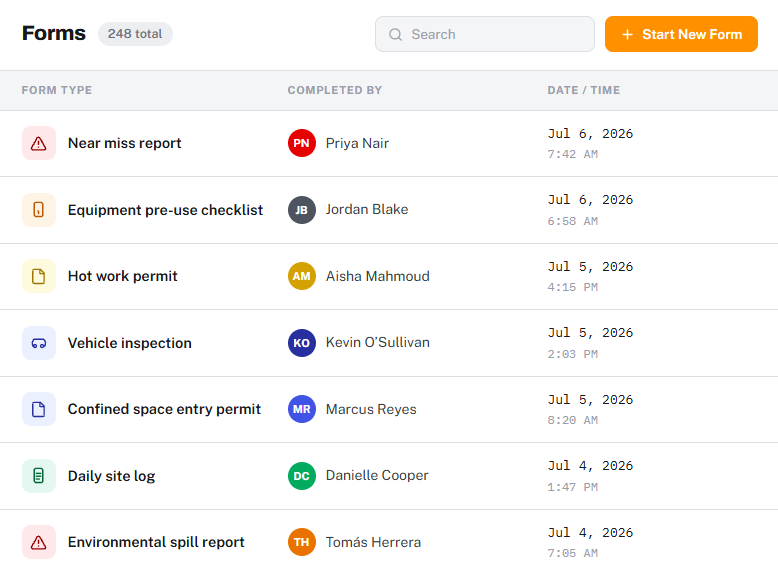
The moment a form is submitted, it's a clean PDF in the office — timestamped, located, and signed. No re-keying, no lost paper, no Monday-morning data entry.
Assemble any form visually — no code, no developer.
Start from common safety forms and customize.
Show or hide fields based on earlier answers.
Required fields and limits so data comes in clean.
A clean, shareable report on every submission.
Failed items become tracked tasks with owners.
Send submissions to the right person automatically.
Fill out anywhere; everything syncs on reconnect.
No. The builder is fully drag-and-drop. If you can fill out a form, you can build one — most teams have their first form live in an afternoon.
Yes. Rebuild any paper form field by field, or start from a similar template in the library and adjust. Your forms stay yours to edit anytime.
Text, number, single and multiple choice, dropdowns, dates, pass/fail, ratings, photos, signatures, GPS, barcode/QR scan, file attachments, calculations, and section headers — mix them however you need.
Yes. Forms cache on the device so crews can complete them in dead zones. Photos, GPS, and signatures are stored locally and sync automatically when signal returns.
Yes. Set up notifications and routing so a completed form — or a failed item — lands with the right supervisor, and corrective actions get an owner and a due date.
Every submission generates a clean PDF with timestamp, GPS, photos, and signatures. Search by form, site, or date and export what you need in one click.

In a 20-minute demo, we'll build one of your forms live, publish it to a phone, and walk through the submission, PDF, and dashboard — start to finish.
